TV & episodic production
Call sheets that are truly binge-worthy.
From the first shoot day to the season wrap, keep your crew, talent, and production team on the same page. Build, send, and track personalized call sheets, with easy revisions when plans change.

We’re on set with
crews at:
Call sheets that are truly binge-worthy.
From the first shoot day to the season wrap, keep your crew, talent, and production team on the same page. Build, send, and track personalized call sheets, with easy revisions when plans change.
We’re on set with
crews at:
How it works:
Shoot day after shoot day, without the scramble.
Start from yesterday’s call sheet, get it to every phone, see who’s confirmed, and wrap with a report that’s already filled in.
Smart call sheets
Start the day already half done.
Copy yesterday’s call sheet and the crew, locations, and notes come with it. Swap in tomorrow’s scenes and times, and you’re ready to send.
Learn more about building call sheetsText & email delivery
Everyone’s call time, right on their phone.
Send personalized call sheets by text and email. Crew, talent, and guests see their own call time, with directions and attachments close at hand. No app to download.
Learn more about sending call sheetsConfirmations & revisions
Know who’s seen every change.
See who’s opened and confirmed at a glance, and nudge anyone who hasn’t. When plans change, publish a revision and ask everyone to confirm again.
Learn more about confirmations and revisions





























Production reports
Wrap with ease.
Create a production report from the call sheet, then fill in the day’s actual times and progress. Log work hours, overtime, and meal penalties, and share the report as a PDF.
Learn more about production reportsMade with SetHero
In good company, episode after episode.
Crews on these series have used SetHero to get their call sheets out. We’d love to add your show.

Blue's Clues & You!Series
Nickelodeon

Everyone Is Doing GreatSeries
Hulu

ChurchySeries
BET+

MAGISeries
Prime Video

I Ship ItSeries
The CW

Eleanor's BenchSeries
Pure Flix

KairākauSeries
Whakaata Māori
Released on:

New episode.
Familiar faces.
Keep your production contacts together, bring familiar crew into the next project, and add new guests or day players as you go. Set up departments and positions to fit your team.
Explore contact management



Different calls. One clear sheet.
Set individual call times and department precalls, so each person knows when they’re needed.
The details that get them there.
Include location map links and attach parking diagrams, sides, and the documents your team needs.
A format that fits your show.
Customize sections, add notes, and arrange the day’s schedule for a scripted series, a docuseries, or a guest interview.
Episode after episode,
everyone knows the call.

Customer story
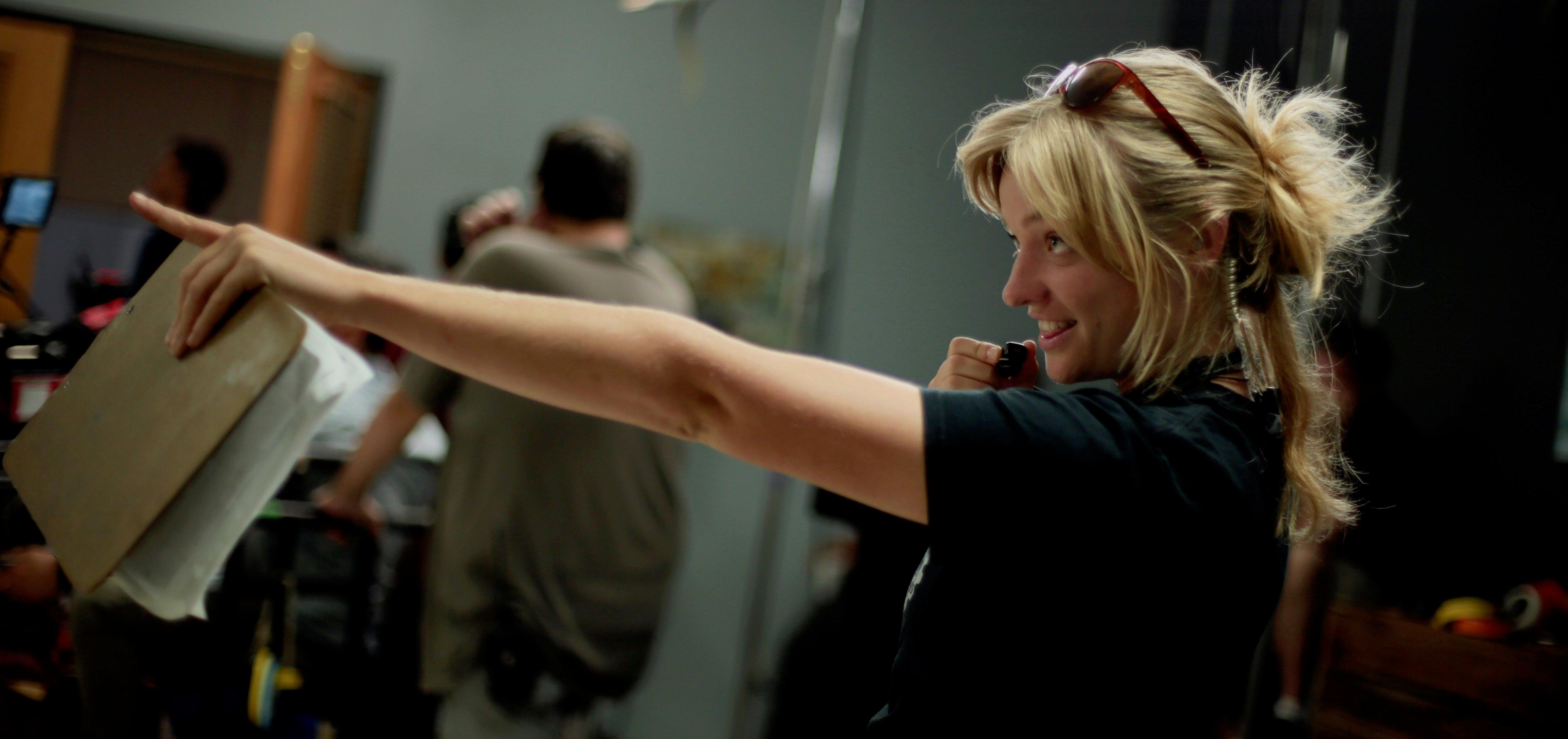
Rebekah HynesSecond Assistant Director
2nd Assistant Director
I always use SetHero — at this point, it’s not even a decision!
The ability to see who has viewed and confirmed their call times makes it so that I don’t have to contact anyone directly at the end of an already long day of work.”
Behind the scenes:
Before & after
Less busywork. Every shoot day.
Day one or day sixty, here’s what changes when your show runs on SetHero.
Your next shoot day
Without SetHero: Every day is an isolated document, and changes don’t carry across.
With SetHero: Copy yesterday’s call sheet, reuse templates, and edit headers once.
Your revisions
Without SetHero: Turns out, sending “BLUE VERSION 2” in all caps to 60 people doesn’t actually help people understand the new schedule.
With SetHero: Easily publish revisions as a new version that everyone can see and confirm.
Your confirmations
Without SetHero: Raise your hand if you’re familiar with the endless runaround of “Hey, did you get the call sheet?” texts at 11 pm. 🙋
With SetHero: See who’s viewed and confirmed, then nudge only the people who still haven’t.
Your wrap report
Without SetHero: Your production reports are whole separate templates, with huge amounts of duplicate work to keep up to date.
With SetHero: Your production report is automatically filled in from the day’s call sheet.
Integrates with your existing tools
Skip the re-typing. Bring your data.
Import scenes from the tools you already schedule in.
 Movie Magic Scheduling(opens in a new tab)Import your schedule
 Cinapse(opens in a new tab)Import scenes from your schedule
 Think Crew(opens in a new tab)Import your Think Crew schedule
 Scriptation(opens in a new tab)Import tagged script breakdowns
Customer Support
We’re here to help with whatever you need
Support at every turn
We have tons of support resources, so you’re never left on your own. Plus, our support team is staffed with real filmmakers with on-set experience. Think of us as an extension of your team.
- Guides
- Live Chat
- Help Center
- Tutorial Videos
- Guides
- Live Chat
- Help Center
- Tutorial Videos
Your dedicated production rep
Your production has a dedicated support representative with real on-set experience there to help you every step of the way!
Book a call Your Production TeamBryanProducer
 Your SetHero RepAlyssaFormer 2nd AD (DGA Member)
Questions
Answers for the production office.
Need a hand setting up your show? Our team knows production and is happy to help you get going.
Let’sRoll
Modern production moves at the speed of thought. It’s time your planning tools do too.