Professional Day out of Days (DOOD) Template
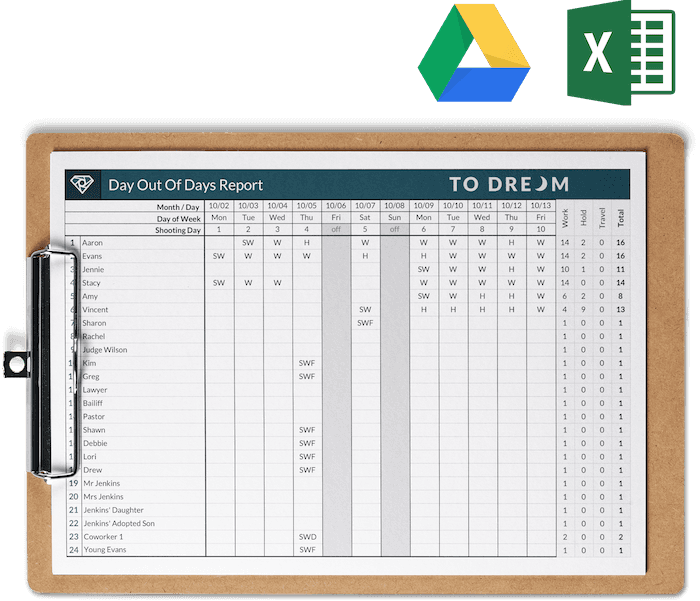
Track each cast member's start, work, hold, and finish days across the schedule, with totals for work, hold, and travel days.
- Format
- Excel, PDF + Google Sheets
- Best for
- Features, episodic, multi-day commercials
- Pairs with
- Stripboard + Call Sheet
- License
- Free for commercial use
Why this template
The DOOD is the document everyone needs.
A Day Out of Days lays out every cast member's working pattern across the schedule — start, work, hold, travel, drop, finish — in a grid one screen wide. UPMs read it for budget. Casting reads it for availability. Travel reads it for housing.
On any production longer than a couple of days, the DOOD is essential. This template gives you the standard format without paying for studio scheduling software.
What's inside
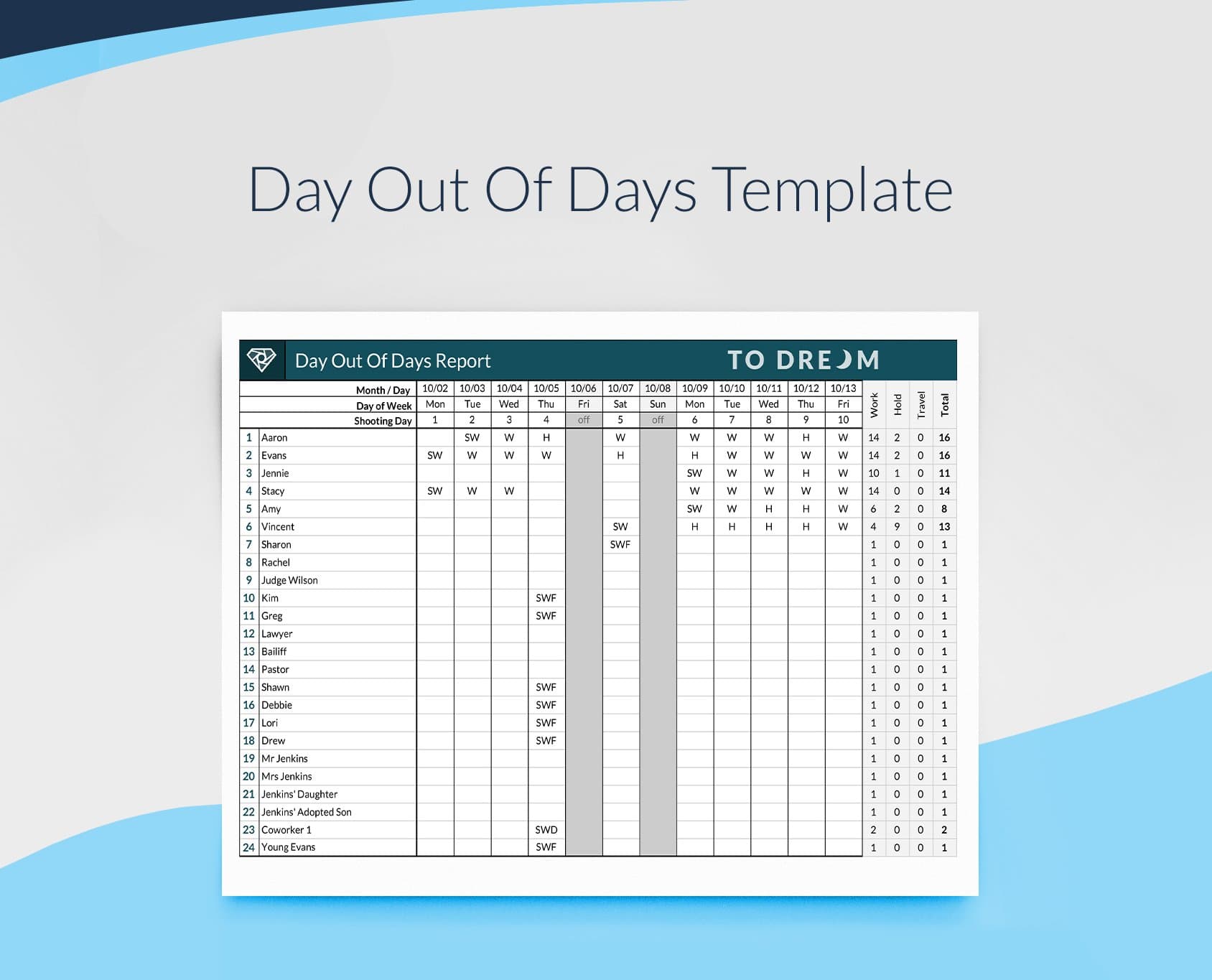
Cast on the rows, days across the top, totals at the end of each row.
Each cell holds a status code. Each row ends with that cast member's work, hold, travel, and total days.
Cast rows
Numbered, one row per character.
Day columns
Date, day of the week, and shooting day number, with days off marked.
Status codes
SW (start work), W (work), H (hold), WF (work finish), and SWF (start, work, and finish in one day).
Row totals
Work, hold, travel, and total days for each cast member.
Other uses
The same grid works for costumes, extras, or equipment: anything you need by day.
How to make one
How to make a day out of days
Build it once the stripboard is set. List the cast down the side, using the same cast numbers as the stripboard, and put the dates across the top with the shooting day number under each. Mark the days off.
For each cast member, find their first and last shooting days. Mark the first SW and the last WF. Every day they work in between is a W, and every shooting day they don't work in between is an H, a hold. Someone who works a single day gets SWF.
Check each row's totals against the stripboard, and update the grid whenever the schedule changes. Long runs of hold days are worth a second look, because they often cost money.
FAQ
Day out of days questions
- 01
Customizable
A grid of cast against dates, with work, hold, and travel totals at the end of each row.
- 02
Professional
The standard layout: cast down the side, shoot days across the top, status codes in the cells.
- 03
Beautiful
Days off are shaded, so the schedule reads like a calendar.
- 04
Free
Enter your email and we send the file.
Already on Movie Magic?
Scheduling in Movie Magic?
Our exporter turns a Movie Magic Scheduling schedule into an Excel file the rest of the team can open. It doesn't export the day out of days yet, which is what this template is for.
Pair it with
All templates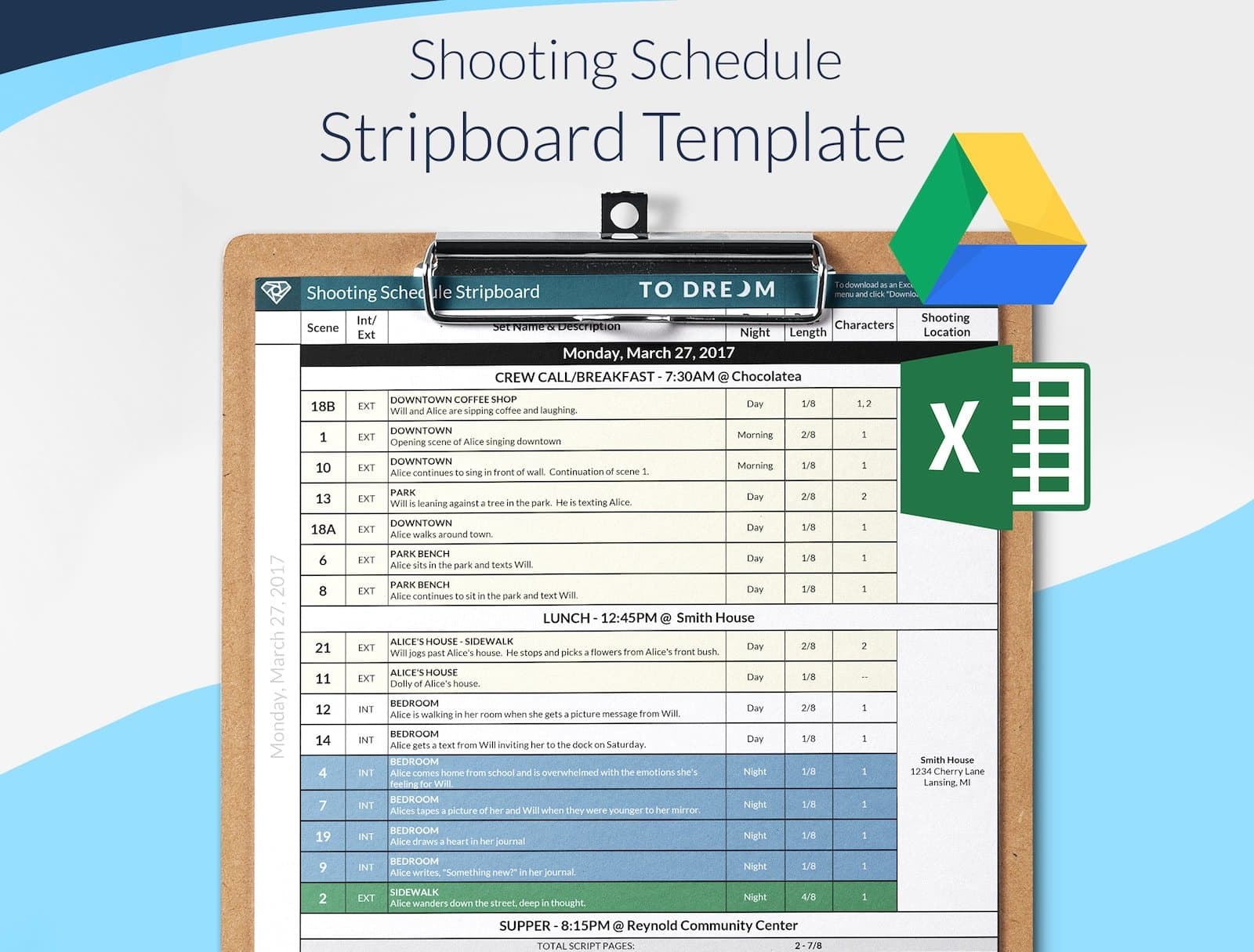
Pre-Production
Professional Stripboard Template for Excel
Color-coded strips, day breaks, and page totals: a stripboard in Excel and Google Sheets.
Production
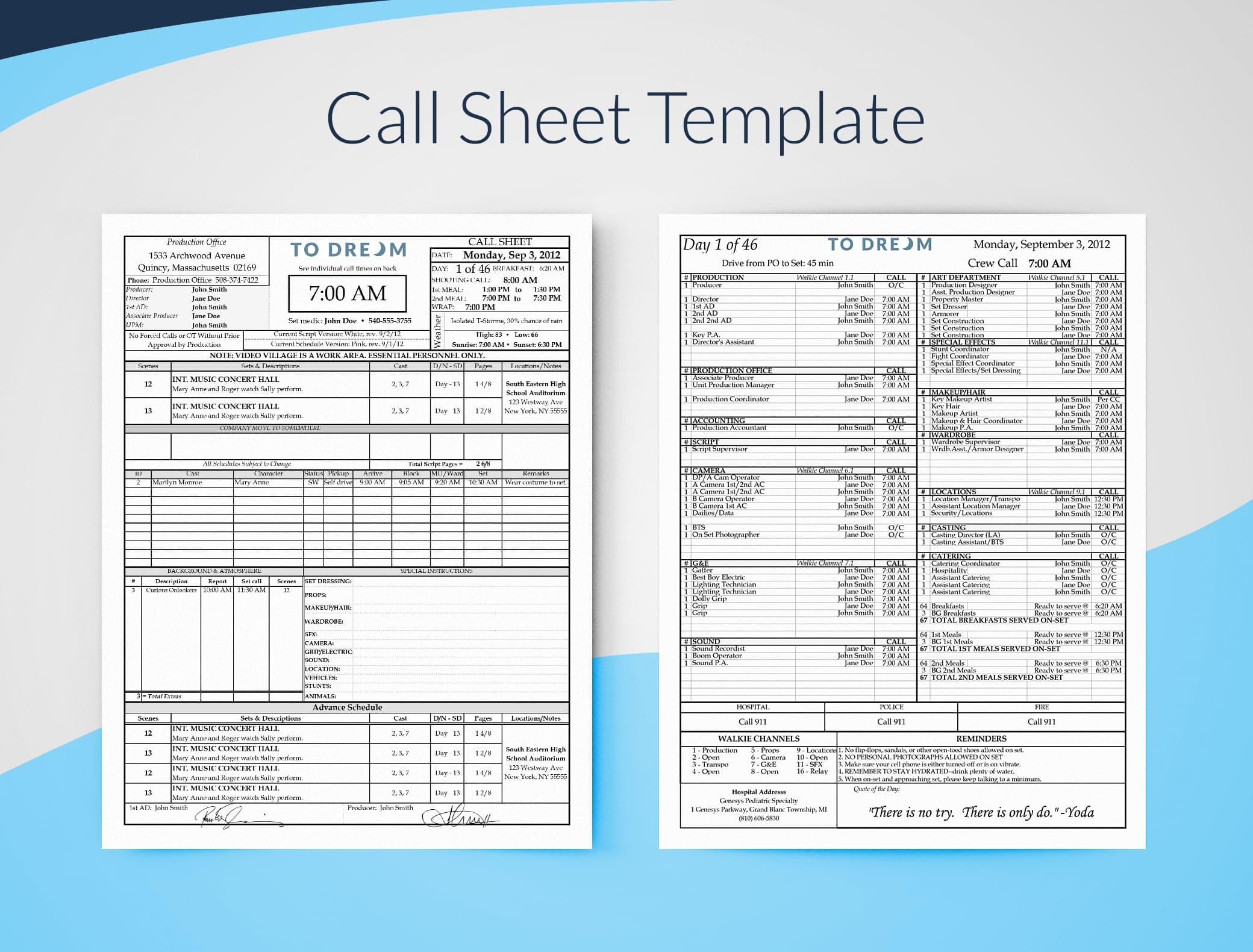
Professional Call Sheet Template for Excel
The full call sheet we ship to crew on every shoot day. Header, schedule, crew list, weather, and parking — all in one editable Excel file.
Pre-Production
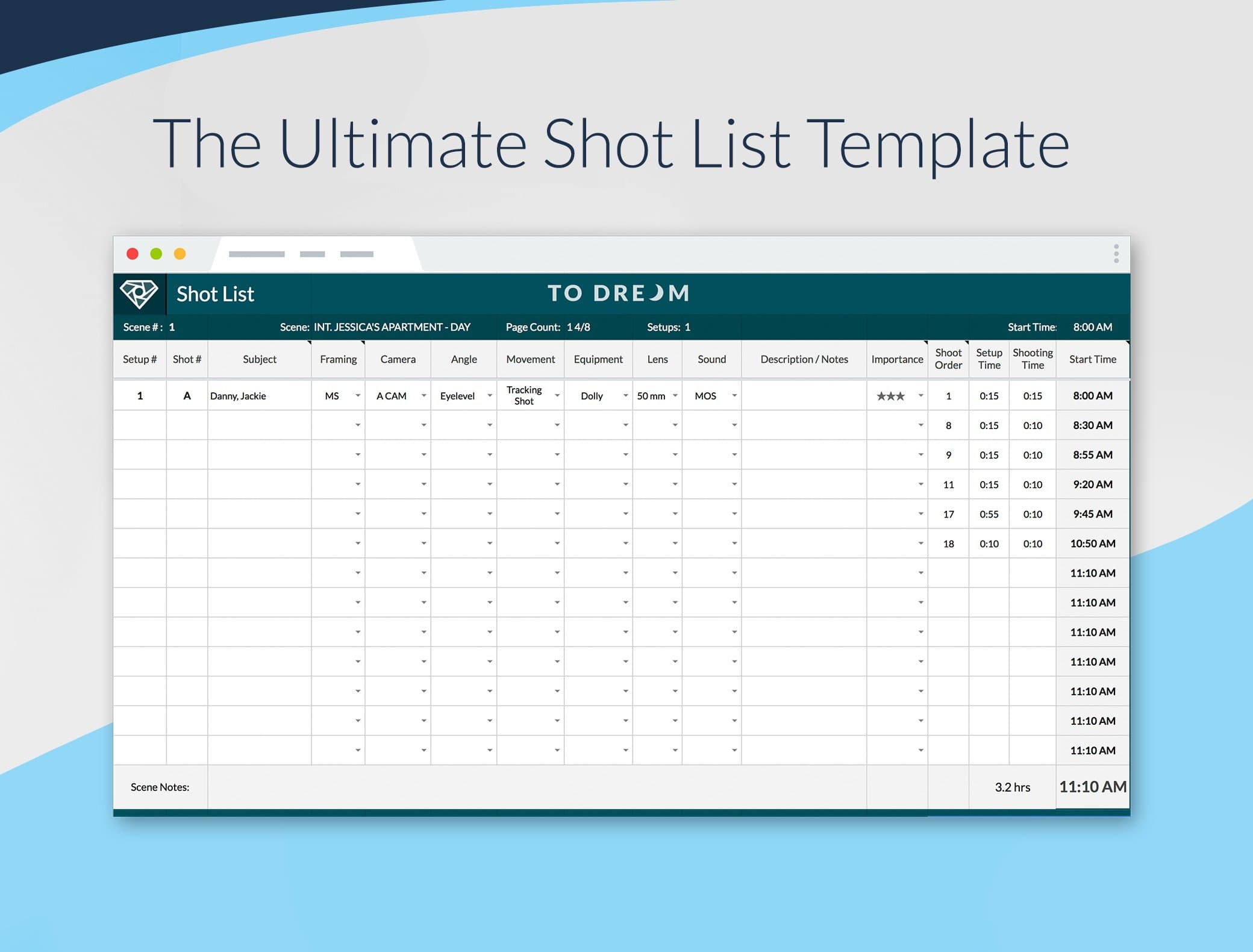
Professional Shot List Template
A shot list that doubles as a schedule. Group by setup, mark coverage, and track lens and movement in one row.